Workflow

How UtilitySheet turns seller utility info into a clean closing handoff

UtilitySheet is designed to be simple for sellers and useful for transaction teams. One reusable link starts the process, guided provider confirmation keeps the information cleaner, and finished output is ready to review, share, and update from the dashboard.

How it works

From seller utility form to buyer-ready utility sheet

UtilitySheet gives real estate teams a repeatable utility handoff workflow: send one link, collect cleaner seller data, and deliver a finished utility sheet without the usual chasing.

01.Send your reusable seller link

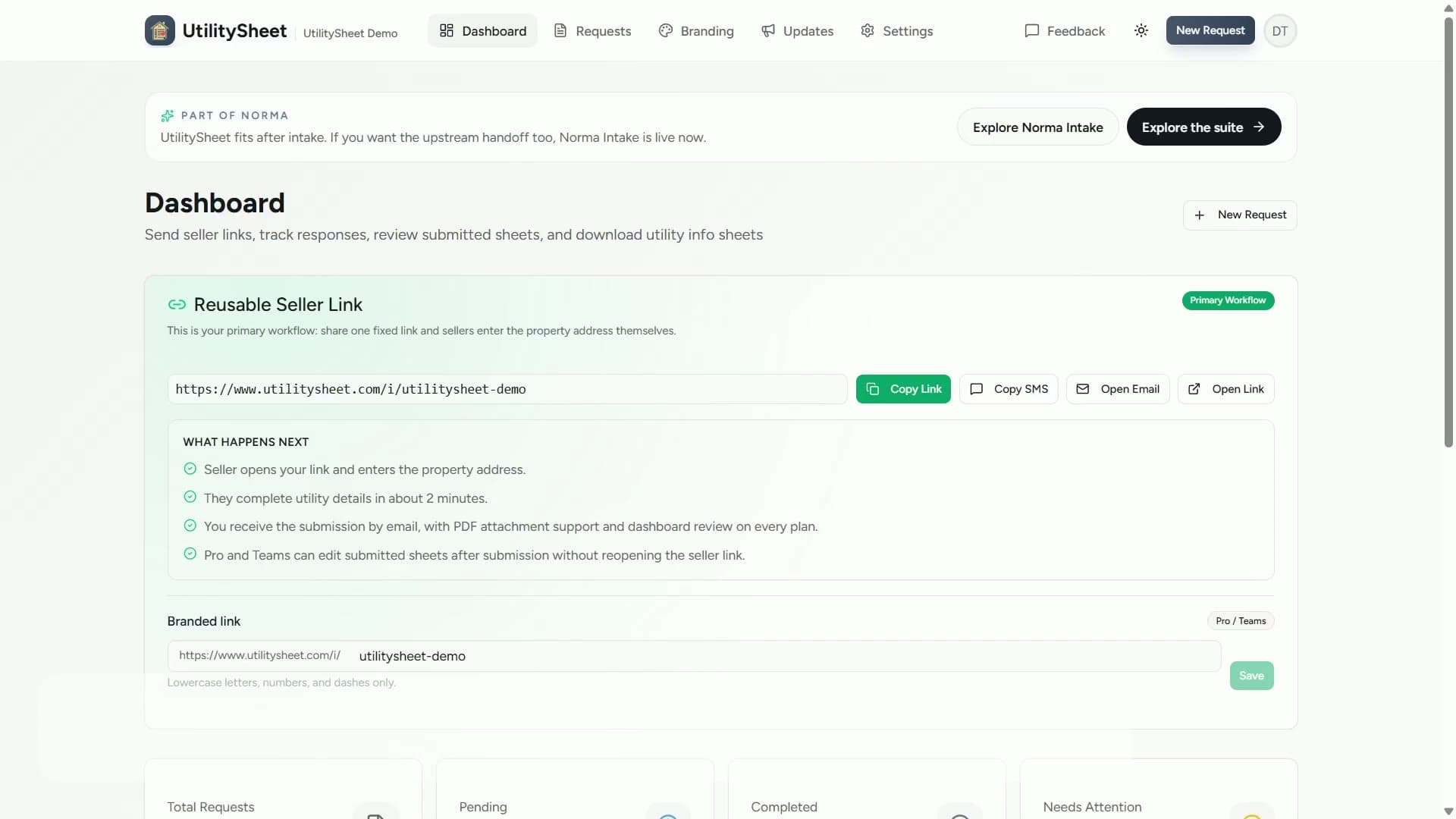
Share the same seller utility form link on every file. Sellers open it, enter the property address, and start without downloading an app or creating an account.

UtilitySheet dashboard showing how to send a reusable seller utility information request

02.Seller confirms utility providers

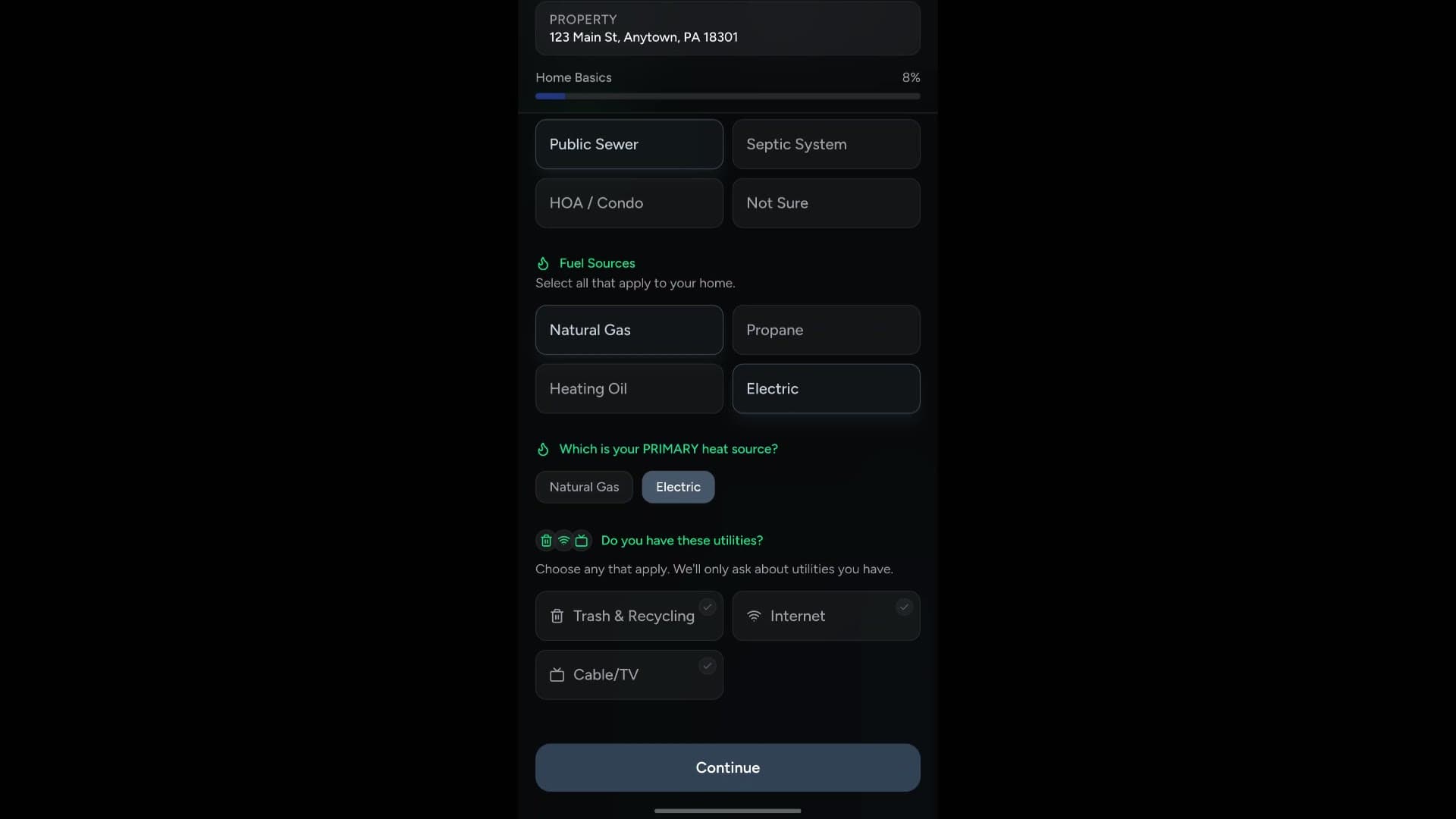
Sellers review suggested providers, correct anything that looks off, and submit a cleaner utility handoff. Advanced mode can also capture access details, service vendors, and move-related notes.

Seller utility information form with guided provider suggestions inside UtilitySheet

03.Review the finished sheet and share it forward

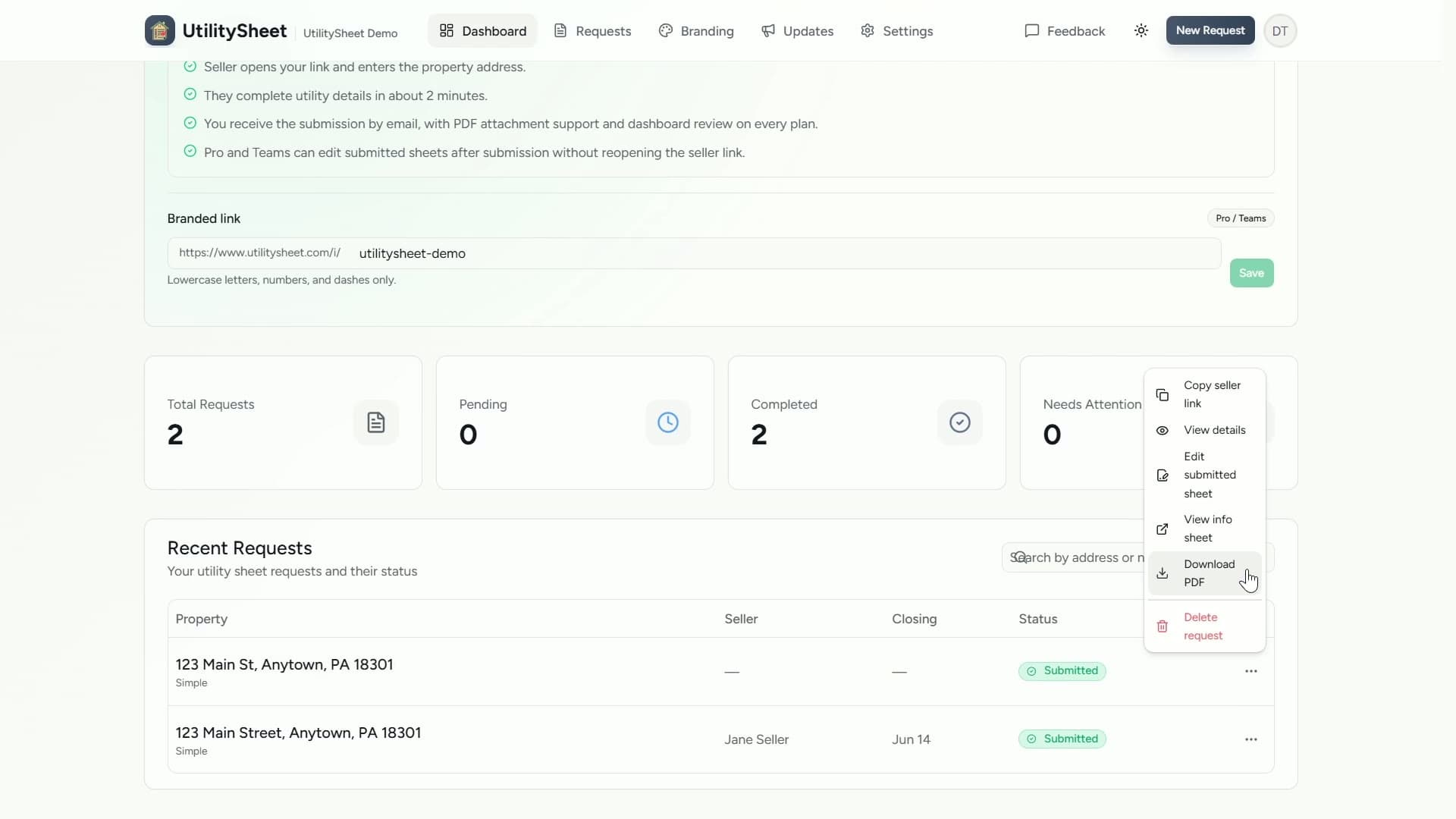
As soon as the seller submits, your team gets a clean web view and downloadable PDF. Share it with buyers, add it to the file, or, on Pro and Teams, make dashboard-side corrections that carry through to future PDF downloads.

Generated utility sheet PDF for a real estate transaction

The three parts of the workflow

Each part is lightweight on purpose so the process is easy to repeat across listings.

01

Send one seller utility form link

Share your reusable link by email, text, or inside your transaction checklist. Sellers enter the property address and start from any device.

02

Let the seller confirm utility providers

UtilitySheet suggests likely providers, and the seller confirms or edits the information so your team gets cleaner data with less follow-up.

03

Review, share, and keep the final sheet current

The finished utility sheet is ready as a web view and downloadable PDF, so you can add it to the file and share it with buyers or support teams. Pro and Team workspaces can also make dashboard-side corrections after submission.

Where it fits in your process

Transaction coordinators and agents usually slot UtilitySheet into the same moment they would normally send a utility checklist, email, or follow-up text.

Add the seller link to your listing-to-closing checklist or email template once, then reuse it on every file.
When the seller submits, review the finished utility sheet in the dashboard before sharing it with buyers, agents, support staff, or anyone else who needs the information.
On Pro and Teams, you can correct capitalization, addresses, provider names, or contact details after submission without reopening the seller form.
Use Simple mode when you just need utilities, or Advanced Utility Packet mode when the deal needs deeper transition details.
Keep the workflow branded on paid plans so the handoff matches the rest of your client communication.

Related pages

These pages go deeper on role-specific use cases and plan details.

Try the workflow on a real transaction

Start free, send a seller link, and see how much easier the utility handoff feels when the process is standardized.